Monday, February 7, 2011

Zipit Z2 USB Charger

This is a pretty simple mod to the original Z2 Power Supply. First we start out with a Male and Female USB cable kit. This allows you to make custom USB cables. As you can see, the hood just snaps together with the USB connector inside.

These can be bought off ebay for pretty cheap.


Cut the original PSU (Power Supply unit) so you have a usable length of wire coming from the Z2 power connector, and attach the USB male end. Make sure you dont get the polarity wrong! If you look closely there will be one wire that has a white stripe on it, for my PSU this was the negative lead. I highly suggest using a voltmeter to make sure.

Here is everything placed out and soldered on. Notice how I removed the middle two pins of the Female USB. I did this to make it easier to solder, and so I dont accidentally cross the the D+ and D- pins with voltage , just in case I use this to power another device like a thumbdrive or what not.

If you need the pinout to the USB port check this URL for more information.


This is an image of the whole thing put together.


In the end you can charge the Z2 using a USB port, the original PSU, any generic USB Wall Charger, or even use an emergency USB Battery pack, like those found in stores to boost the battery life of your cell phone or MP3 player.The final product.

This is not very hard if you have the parts laying about and some basic soldering skill. I was able to complete this in about 8 minutes. It took me longer to heat my iron than it did to actually build.

Sunday, December 19, 2010

Distrusting technology


Hello, I am a New York Lotto machine. If you play with me, you can become very wealthy with little or no effort! Look how cute I am, how can you say no?


I have a cute little backside. Innocent and unassuming. You can trust me.


Take a closer look, see? I know you want to play.


Look at my cute little hat! Everything about me says you can trust me, and love me in ways only rapists and pedophiles will know.


People put way too much trust into the technology that runs behind the eyes of their world. You do not realize that machines like this exist all day, every day, everywhere. Thy are here to make out lives more convenient, easier, or a little happier.

There are way to use both wired and wireless ways to access devices like this and exploit them. This is not some movie hype bullshit. This isnt The Matrix. The bottom line however is, that giving direct physical access to a communication port allows attacks to happen. The port on the back is a Network Port. The make and model printed above it is often times enough for a clever person to start digging up technical information as to the operational ability and tasks this machine was designed for, and also pathways into finding exploits and flaws in which this machine can be turned from a tool into a weapon. The wireless antenna on the top shows that the person doesnt even need to be inside the store and plugged in (possibly) in order to bend this machine over their knee and stick some well lubed code up its ass.

Think about all the tech in your life and how much you blindly confide in its ability to keep the things you say to it a secret. If you lost your cell phone, and someone found it, how much would they be able to know about you? Name? Phone number? Friends names? Where you live? Where you work? Where you play? Personal messages from lovers, friends and family? Your E-mail.... with all your personal accounts and passwords?

The world is not what it seems.

Saturday, January 9, 2010

Review of the Feidaxin FDC-460A ham radio

I heard some decent reviews about the Feidaxin brand of ham radios. These have been what we call 'Rice Box' Radios. They hail from parts of Asia and with that come at a very cheap price. On average a single band radio will sport about $60 USD or so. Being that they are damn cheap makes them appealing, but are you getting what you pay for?


From my experience with my FDC-460A its not completely horrible. For $60 I cant complain much.

The good:
Inexpensive.
Works great as a spare radio
Just fine for a simple radio that does repeater, CTCSS, and DCS.
Unlocked in the entire 400-460MHz band, use as FRS/GMRS (or other) Radio.
Decent solid design, I wouldnt beat it up but its not a bad radio.
Ni-MH Cells, easy to upgrade or replace if you are handy with a soldering iron.
Full 5 Watt on all frequencies. Or 1 watt in low power.
Option for programming cable for the PC and software to program the memory channels.
99 memory banks.
Can be put in "Stupid User Mode" which allows the user to cycle through the programmed. channels, like a regular 2-way radio.

The Bad:
No Alpha tags, you have to memorize your frequency list, unless you put it in "Dumb mode"
Scan speed is slow, even for an HT.
Digital Squelch.
The charge dock mashes in the bottom row of buttons on the radio, its hard to dock.
Battery charge time isnt the best.
They have a male SMA connector on the radio, which is weird.
User manual is in horrible engrish, but with some common sense its not hard to figure out.
Programming software is usable but in engrish.
Some people report having defects.
Doesnt operate the best in extreme cold, so dont keep it in the car during winter.
Programming the radio by hand is a pain in the ass, but isnt that said for all HTs?
When using a headset you cant use the PTT button on the radio, you must use the PTT on the headset... thats just weird too.
No VOX Support (I dont like VOX anyways).

General
I use mine on both ham radio bands, local security (in hindsight I should have gotten the 410-470Mhz model), FRS/GMRS, and anything else in between. The squelch control is menu driven, you may not like it. I dont mind so much but being I have been an HT and Scanner user for many years I am very accustomed to manually adjusting my squelch while in the field. The 1W / 5W power selection does seem like a small drawback especially for battery consumption, but this is common on even expensive radios. I like having a Low-Medium-High setting. The fact that it can do full 5W (closer to 4W on the upper band) is nice though. I can pop on the FRS/GMRS bands at 5 Watt. Yes, I know it is not legal to operate over 0.5W on FRS Bands. Blow me, I dont give a rats ass. When an emergency arises I can hand out a small fleet of FRS radios and use this FDC-460 as a repeater node (with some additional hardware). I have seen report of some people making low-cost, low-power mobile/portable repeaters out of these lil' buggers. This is also great for an inexpensive APRS Radio

If you just need a spare radio to hand to the kids, wife, or friend to keep in contact via simplex, or have a friend that wants to get into the hobby and you dont mind being control operator for them, this isnt a bad choice. I keep this as a backup and when I am out hand it to my lil' lady Bunnie, or even my other friends when we want to go shopping and I want to fuck off. I see crappy FRS/GMRS radios that cost just as much and dont offer the features this thing has.

It also has full PL tone (CTCSS) and DCS Support which is also used on many security fleet radios, FRS/GMRS, and Ham Radio Repeaters. Unfortunately the lack of Alpha Tags you need to memorize what all your frequencies belong to. There is a mode you can boot the radio in by holding the [F] key and turning on the radio which puts it into what I call "Dumb mode". It will list each programmed frequency as a number in a list, rather the frequency. It also locks out the ability to manually tune in a frequency, play with the offset, PL/DCS, and other settings. This way you can set it up, hand it to an inexperienced user and just tell them "Tune to channel 4" or whatever...

I would definitely recommend getting the programming cable. Programming any HT for me is a major time consuming pain in the ass. Unfortunately the software is in Engrish as well. For me it wasnt hard to get working at all, but I am an experienced hacker and technophile. I have noticed that most Hams have as much computer skill as a 4 year old child on drugs, or worse. Just make sure you get the right programming cable, if you are using XP, go for the USB one. Dont even ask for OSX or Linux support! I wouldnt consider this a major purchase factor though.

Some minor quirks
For some odd reason they put a male SMA connector on the radio. Typically you see the male connectors on the Rubber Duck Antenna or Coax. A female SMA coupler fixes this though.


(Yes, it came with a very nice antenna)

Another small quirk I noticed is that if you use a headset you cant use the PTT on the radio. It will transmit but no audio will travel from the HT. You must use the PTT on the headset. There is no VOX control, which I dont use anyway. I find that loud cars, alarms, and background noise tend to false-trigger most VOX controls since I am not a typical fat, lazy ham that hasnt seen his penis in years. I use my radio out in the field and I am very active in general, and this radio has done a pretty good job so far. For $60 shipped... I cant bitch.

Sunday, January 3, 2010

The funk never ends

As many of you from BSoD have noticed the show has been canceled due to a severe lack of help from the community. I have been griping about it for quite some time with the honest hopes of my blunt honesty it would perk people into helping out. After all of the unreliable boasts of segments, a busy and moderately unstable social life, and proceeding health issues, I do not have the resources to maintain the show with just the help of Mustang alone. He has been on the edge of severe diabetes for quite some time and I do not want to put any more burden on him than his health and family already do. I have plenty of segment content myself, but this isnt going to be The Foxx Show, ever, despite the fact that 90% of the fans of BSoD think I am the main man behind it all. I will take credit in getting things started, taking off in the direction we have, and sustaining interesting content for all these years, but I will never be the viable dictator commanding people to come forward to help that people assume me to be.

Onto my own personal affairs. Scuba from the BSoD community sent me a Wyse S10 terminal. It sports a 300Mhz AMD Geoge CPU, DDR RAM, and a typical 44 pin IDE header. The hardware is very similar to the WebDT 366. I have been trying to work my magic on it but one thing has really been putting roadblocks in my way, and thats nazi-computing. Wyse designed the BIOS so it will boot from USB only if it contains a specific partition and disk image layout which is 100% proprietary to their hardware. This thing is just a small form factor computer with a crippling BIOS so they can make sure you keep crawling back to them for support.

With the custom USB Booting aside I popped my Compact Flash card from my WebDT 366 into the Wyse S10 with the aid of an IDE to CF adapter and 44 pin ribbon cable. Besides the fact that the Windows XP install had absolutely no drivers for the hardware and I couldnt log into it, the thing boot just fine as expected. I could easily deploy a Linux distro from another host computer then tailor it once its in the Wyse S10. There is also the option to do a Network Install of an OS using PXE NetBoot, that is something I havent tried before so I will give it a whirl when I get some spare time.

The WebDT 366 is coming along as well. I caught a great deal on some Memorex 8GB Traveldrives. They are old but as soon as I saw them they looked a wee bit bigger than a typical Compact Flash or Microdrive. I decided to roll the dice and use my technophile intuition and I got three of them for about $8 a piece. As soon as I got them I popped one open and my assumption was correct, 8GB Microdrives! I tossed one onto the WebDT 366 IDE bus and installed XP a little hastily. In my excitement I didnt pay much attention to the finer details of the install so right now its far from optimal, however the Microdrive is operating in UDMA mode 2, which is a max transfer speed of 33.3MB/sec compared to the Compact Flash cards PIO Mode 4 which is only 16.5MB/sec. Any attempt to force these cards to operate any faster using BIOS settings make the OS crash almost instantly. I know these speeds sound like a ball busting crawl but hey, this unit is durable!

Something else I found out while doing all of this work with Compact Flash and Microdrives. I thought I had fried my CF cards because they wouldnt boot an OS anymore. Assuming I blew out some of the NAND gates in the MBR section of the cards, which is why I got the microdrives. After my second install of XP on one of the cards which I used for a different device I came across the same issue I had with the CF cards! Using a simple linux command recommended to me by another BSoD'er, Modat7, I did a full binary wipe of the drive inside of a linux virtual machine with the drive on a USB adapter. After the process was done I went back to work installing the OS on the native host hardware and dont'cha know it, it worked flawlessly. Unfortunately I cant exactly replicate the cause of this problem, or explain why it happens, but now I know how to identify and fix it.

With a little more time and patience I should have the DT366 in a field ready test phase. Ive unbricked my Zipit Z2, and the WebTV 2 RM4100 is running different OS flavors just nicely. The RM4100 needs a peck more work with some hardware hacks though. I have also reworked my Nokia n800 with a more stable and useful configuration for field work. With the help of Metatron I was able to get my WiSpy hooked up but the USB is so unstable its pretty much worthless as a 2.4Ghz spectrum analyzer. I will try out the WebDT soon but I need to focus on the OS and fine tune it to squeeze every bit, byte, and nibble of resources out of it.

Over the holiday I rebuilt the battery pack for a Microsoft Pharos Bluetooth GPS which I am quite proud of. Its sporting an interchangeable Ni-MH 3-Cell pack.


I also built a TNC-x kit which is (hopefully) going to air on BSoD once we kick back into production. I had to do some very minor modification to the serial port hookup which involved having to make a DIP socket Piggyback to get the leads out to the connector. I didnt have enough room to hook into the onboard DB-9 serial port and I didnt want to solder leads onto the PCB itself. I felt that it could be a cause for failure in the future.


In time all of these devices will be modular with one another adding onto their capabilities. They will combine to make different types of terminals, scanners, desktops, and portable mobile mayhem generators.

Sunday, November 15, 2009

WebTV 2 Update

My larger compact flash cards can no longer sustain a full feature Windows XP OS, so I have fallen back to linux. There is nothing wrong with this, but linux on the RM4100 isnt new. The CoreBoot BIOS crew has been working on a replacement BIOS, which should kick my BIOS's ass, since they know what they are doing and I am just using blunt tools to carve away at something I dont fully understand. Dot get me wrong, I know how a BIOS works, but fucked if I can write one from source.

I have Damn Small Linux, Puppy Linux, and Debain on separate CF cards. Full debain doesnt run too well, a bit too bloated. If you are new to linux and want it on the webTV 2 RM4100 I dont suggest you start with Debian. There is some work needed to be done in order to get the TV Output working though. If you are not linux savvy then I dont know what to say. It will work, but if you arent wise with linux, just try and stick with the other prebuilt flavors.

All hardware in the RM4100 is supported under linux, except native TV output, but that can be fixed with the proper packages. No BIOS level support yet.

You can check out the SeaBIOS here: http://www.coreboot.org/SeaBIOS
The main issue here is how do you flash the BIOS? Whelp, im working on a softmod method as well. Its based off the old BootROM Video Test Exploit, but do not expect me to make this work. This is not an area I am familiar with, then again, thats why I enjoy this.

Thursday, November 12, 2009

Faceplant of sucksess

I promised I would post more often, and I am a man of my word. Although I prefer to spend my spare time hacking, modding, soldering, and tearing away at the inner soul of machines, my current situation has lent me a few minutes to update. Per previous posts and personality traits, I like to post about something thats worth a damn.

Like I mention over and over and over again, the Webb TV 2 RM4100 hacking is not dead. Not in the least, no way, no how. Time and the lack of it... anyways. Recently I pulled it out to confirm some of my BIOS hacking suspicions and try to make some progress. I have managed to podge together an AMI BIOS thats damn compatible with this RM4100. Only MAJOR BIOS level issues is that the machine cant restart itself. I suspect its an ACPI issue, but this is fixed once an OS is installed. Wait... what?! You got an OS installed?! HOW! WHICH ONE!

[ WebTV 2 RM4100 installing Windows XP SP2 - Click image to link to my picasa page ]


Yes this is my livingroom, which has suffered from a severe bulimic episode from my lab. Now to the fine details:

Using Compact Flash cards which is already onboard, native Primary Master and bootable on the RM4100, and and IDE mod, I hooked in a regular optical drive which has been powered off a separate PSU for now. The RM4100 does in fact have pads for an IDE header for the Secondary IDE chain, and even a spot for a molex power connector. I just havent gotten around to activating it. You need to add a few through hole electrolytic capacitors to get the onboard molex working. I have it set up and going on another RM4100 I have. Granted pre-install of Windows XP with SP2 was painful being that the BIOS had forced the Compact Flash card into a very slow DMA Mode 2 which is a crippling 33MB/s. After post install and I had configured Win XP with some minor tweaks, the typical action of turning off themes, indexing, restore points, and useless animations, then proceeded to install the device drivers... it ran pretty god damn smooth! I was able to get the CF card into UDMA Mode 4 which is twice the transfer speed. Performance wise I wasnt impressed, but I was surprised at how smooth it was, despite how the CF card was bottlenecking the OS Speed.

Performance does not compare to your typical PC today, but for what its worth this thing was running very nice, smooth, I couldnt complain. Except the Compact Flash cards were not in the best shape and it crapped out on me over and over again. I was able to test a few theories.

  • IR keyboard/Remote is hooked to a microcontroller on the PS/2 bus. You cant put PS/2 back in, but you can use the IR keyboard if you remap the keys using some extra software. The keyboard doesnt have a full set of needed keys (Like the F-Keys and Esc)
  • The BIOS can not get the TV-Out working natively. VGA is needed to configure the BIOS
  • I was not able to get the Intel Extended Graphics to detect a TV display, chances being there is no load balance for the transmission lines that are used to detect displays. I can not force TV out with the default drivers. The CF Card shit out before I could install an application that will force TV output, but my assumption is that if we force it, it will work, and the registers for TV out in the IEGD (Intel Extend Graphics Driver) will TSR (Terminate and Stay Resident) letting the BIOS do TV out, granted you have the BIOS CMOS Battery in place to keep all the registers set. When I plugged in a display, it did detect a carrier sync signal, which means it IS spitting an output to the TV-Out!
  • Sound is in fact muted on the hardware level. There are some specific registers that need to be set to desaturate a transistor that keeps the sound card in a hardware based mute mode. Drives are at full volume, but nothing comes out. Removal of transistor Q3002 on the board gets it working. Crude hardware hack but it works. I do not have the coding skills to set the proper registers on a driver level to unute via software, 3 seconds with my soldering iron is a lot easier for me
I made some decent progress, a lot of my assumptions were correct and my technical experience in internet appliances and embedded hacking hasnt failed me yet on this device. Unfortunately all of my Compact Flash cards are extremely unhealthy and do not provide a stable test environment for me. I have some parts on the way, so just stay patient with me and I will release as much as I can as often as I can. This device does show quite a bit of potential granted you know how to make the most out of your hardware.

Sunday, October 11, 2009

WebDT 366, and beyond the stars.

Ive given up any hopes in hell to make a mating connector for my WebDT 366 IDE Flashrom Board, so I ripped out the 2mm pin header which is only half height. Surprisingly it was quite simple! Back breaking, tedious, and utterly mind-numbing, but I think many people can do it, granted they are comfortable with a soldering iron. Seeing how I had a busted IDE cable from previous attempts to get an IDE cable modded and working, I chose to solder the cable directly into the motherboard. Yeah... dont do that, major pain in the ass. You can easily install a normal height 2mm header so you can use a regular IDE cable. From there you can use almost any style IDE drive you want to use. ALMOST ANY IDE DRIVE!

The WebDT 366 IDE bus is limited to 3.3V drives, and no more than 350mA or so. I havent tested it exactly how much amperage it can handle. 300mA drives work fine, my CF cards are rated fr that, 500mA does not. Now we can "borrow" power from the USB port, but with my current direct-wire hookup, its not easy to disconnect the +3.3v lead from the board. After all, we dont want to directly hook something that can handle more voltage and amperage into the IDE +V line, now do we? NO! We do not! Of course the first thing that comes to mind is USB. Granted I think the USB on the WebDT is useless beyond text/mouse input, the dock does have some USB lines I will have a very unlikely chance of ever using. I can/will mod some of my IDE to CF afapters, and 44 pin to 1.8" IDE (aka iPod Drive) adapters so they directly take power off of the USB on the interna cradle connection, which leads to a 2mm pin header anyways. The mod will be pretty simple in general, granted you can grasp the general concept.


This is the general idea. Compact Flash drives work, but they are somewhat slow in PIO only modes. I used a 6GB microdrive that detected, but it drew 500mA (labeled on the drive itself) and I had major issues with what seemed to be random power brown-outs. Here is a stock install of XP Pro 2 with the themes pulled out, and some very minor optimizations. The OS still needs some work, but thats a matter of personal preference and wont really get into it.

Now for something kinda' cool. You may or may not know, I am into ham radio. Not the typical two fat fucks talking over a static repeater link about local news, weather, and bowel movements. There is a LOT more to the hobby. One of them being Slow Scan TV. Its is a method of encoding digital images into an analog signal and transmitting it over a radio carrier. Its like TV... but slower.. get it.. SLOW Scan TV (SSTV from herein).

SSTV was used on many space missions for imaging, and I am talking back in the 1960's. Technology has improved just a wee bit over the past few decades. Getting the hardware to get SSTV going isnt all too taxing in general. I loaded up MMHAMSOFT's SSTV software on my friend Ugster's WebDT, and on my laptop (for now, I dont have the right audio connectors) hooked into my Handheld Radios (HT Radio). One is a cheap $60 FD-460A 70Cm band (440Mhz) and the other is a Yaesu FT-60 dual band (google it). With some basic audio patch cables and software set up, we started sending some images.

The image is actually a macro shot of my eye using a Playstation 2 Eyetoy USB Webcam with drivers hacked to be used under windows, and a red LED for a backlight. The radio as stated is an FDC-460A

Sunday, October 4, 2009

Why longer isnt always better.

I know I dont post often, I am sorry. I am not in the lifestyle of ending my adventures in the electronic wilderness with a post about it. I prefer to collect my thoughts and proceed with the next phase of progress. Which comes to mind, the RM4100 is not forgotten! It will be finish after I tie up some loose ends!

I have been fighting with my Web DT366 quite a bit, I enjoy this little fucker. Granted it has some handicaps when it comes to the USB, and inability to boot from onboard Compact Flash (herein referred to as CF) with the internal connector. This is what I have been up to


The one major crippling issue of the WebDT was its USB 1.1 to load an OS from, and the 512MB FlashROM Board. The USB 1.1 is totally useless to run a live OS distro, no matter how small it may be. Now I have tried and tried some more, using every tech trick inside my e-Hat to get a way t hook another drive to this bus so we can use a more enhanced OS. Im no looking for OSX or Vista, but something thats usable in general, and not so stripped down it barely does the task you want it to do, say... scan for wifi, map networks, control head for your home automation and A/V gear. This lil' buggar has alot of potential, but the lack of storage is a major Achelie's heel.

In essence this is a regular IDE bus, 44 pin header. But here is the catch, its half hight We cant plug into it with a regular connector, and I havent found one that could fit so far. Since my last post about the Web DT I have been corresponding with Molex, whom makes similar connectors. I thought I finally kicked the WebDT int the nuts and made it my subservient anime school-girl bitch. Molex was QUITE helpful for sending me countless samples oh pin headers to line up and get mated into this motherboard.

It turns out the motherboard uses a standard 44 pin ~ 2mm spacing on the PCB itself. This is a throughhole component, all the connectors I have are SMD, assuming the board was in fact - SMD - and here I am like a schmuck looking at this through-hole header. Sick of waiting, and with the essence of a hacker, I make due with what I have.

*I DO NOT RECOMMEND DOING THIS UNLESS YOU HAVE VERY GOOD SOLDERING SKILLS!! ~ YOU HAVE BEEN WARNED!*
[PICS Will be added later]

I attempted to sand a 44 pin IDE Cable for laptops to be half height to fit over the connector. This failed because most of the pins did not make proper connection. This took a week of trial an error before it took a total nosedive into the utter end of total-fail! I cut the remaining connector off, which wasnt much by the time I was done by the end of the mod, to be left with a cable that had one working crimped 44 pin IDE end, and a nice length of ribbon cable.

I then spliced each wire, and then tinned them, prepping them to be soldered directly to the motherboard in the through-hole pads. Thing here is, however, there was already a connector in place. What I had done was *gently but firmly* clamp the board in place, then proceed to work. Using a typical 35W iron with decent tinned tip, I held it on the pad holding the pin, and with a pair tweezers (or other fine tipped tool for grabbing small tings) pulled the pin out. I pain painstakingly removed all 44 pins, then pulled the plastic layering off. No glue, it just popped right off with no issues. I cleaned up the remnant of solder that were in the through-holes with some cheap desolder braid. It was surprisingly easy! I didnt have a single issue with any of the through-hols at all. It was just very tedious and pain staking in my back and neck

The board is clearly marked Pin 1,2, 43, and 44 for reference, No Guesswork here! Always a plus! I prepped the IDE cable I destroyed, the header was gone from excessive sanding in shy hope of getting it to natively fit with the now missing connector. I pulled he wires apart a wee bit, spliced, and GENTLY pre-tinned them with solder. Sorry, no amazing pics there. Nothing too exciting to see, I got all the pins soldered in place as neatly as possible [Pics to come, next time I pull the DT apart].

Now here is the important part! The Web DT366 uses a through-hole 2mm pin header! It does NOT use a SMD or multilayer pin header. You can easily salvage or buy (or claim free sample) proper pin headers, and solder it in place, that is if you dont want to take the pain-mistaking long amount of back breaking work to get the IDE cable directly soldered in. I will order some proper headers from molex as soon as I can to mod my other DTs.

Now with any IDE cable or header mods done you will need mods done to the WebDT. This is one of many options. When I get the others completed (for friends) I will post results.

Now that we have a working IDE interface its time to get an OS installed. As previously stated in earlier posts, the WebDT can boot from USB Optical Drives, or USB Multboot. Now I have had more luck with the optical drives, but if you want to do the USB Multiboot method, by all means feel free to try. If you come into a 0x0000007b Blue Screen of Death Error, you have issues with the IDE Controller Drivers. Take nLite out for a date ad perhaps a nice movie and you will get lucky. Works for me. Still being you are installing whatever OS from USB 1.1, my case being XP Pro SP2 Corp', its going to take some time, so be patient. Of course there are some MAJOR optimizations to me made in the OS, and where to get proper OS drivers, but thats for another post.

Here are some critical findings about the IDE so far:
  • Compact Flash (mine is 133x and says it supports IDE modes) only does PIO mode, which is VERY SLOW! It is comparable in speed to the onboard 512MB IDE FlashROM Board. Definitely not the fastest thing to be running an OS from,
  • The IDE bus supplies a 3.3V line, with very low amperage. I have not measured (the amperage) it, but it gets into my next point.
  • If you choose to use a Microdrive, although 44 pin to CF adapters exist, the WebDT IDE bus cant push out enough amperage to power the drive. It will detect, but encounter errors or IRQ conflicts (OS Dependant) during install. I am working on a fix for this, so you better brush up on your soldering skills!

  • 1.8" IDE derives, or also known as 'iPod Hard Drives' or 'ZIF Hard Drives will give the same issue as microdrives, however...!

  • The typical IDE chain runs at 5V, the 1.8" ZIF Drive runs at 3.3V. I had modified the adapter board replacing the onboard surface mount regulator with a bare wire (the small 4 pin black rectngle ting at the top of the board) allowing the WebDT 3.3V Rail to power the drive... again there is no way to get enough amperage to the HDD, and your OS will return an error. There is a fix for this that I will attempt. That is to snip the +V rail of the IDE pin on the male header of the drive adapter, and solder a wire to a known +5V source, perhaps some unused USB Bus ports un he WebDT 366 Dock. USB will give 5V at 500mA. More than enough to power the 1.8" HDD. The 5V though, not good... I will have to wire the 5V from USB into the onboard regulator, but disconnect the +V pin on the adapter header so we arent crossing the USB +5V line into the IDE +3.3V Line. Sounds hard, but it shouldnt be. Ill cut the physical pin on the header, remove it completely, then solder in the +5V needed that will be plugged into a very and utterly useless USB header on the bottom dock connection. As long as the new +5V line doesnt attach to the onboard IDE 3.3V rail, all will be well.

So far I have full non-nlite XP running from an 8GB x133 CF card with minimal tweaks.No Themes, running in classic mode, turned off Indexing, turned off Restore points. adjusted the Pagefile a bit, turns off all animations and graphical embellishments; although I did keep in Common tasks. Graphics, sound, touchpanel work, need to get my PCMCIA wifi card working,but thats the last on the list. I need to go and do tons of service patch updates and install my USB wifi cards, WiSpy, and other little doo-dats.... K-Melion, PUTTY, Kismet, inSSIDer, Channelizer, VLC, Winamp 2.7x, WinRar, nMap, audacity, Scanner Recorder... just to name a few.

I am not taking this Install too serious as I will be running nLite across this for a custom install in general, and I need to get better Penmount support, and the Button Agent working. Button Agent isnt exactly open and downloadable, so I need to get a copy...somewhere. Maybe a decent On Sceen Keyboard would cool, but I cant find any that dont blow. I have a bluetooth keyboard, perhaps, or maybe interface my Erickson Chat board into the unused serial port on the Motherbard... Or even a mini USB, I have a few of those. Would be nice to make a Chorded Keyboard wit Flexstrip sensor interface, but not I am going beyond the topic of this post.

Ill try and post more about my hobbies and general works more often, I promise.

Friday, April 10, 2009

WebTV RM4100 Update on the down-low

Turns out my suspicion of the Web TV's new BIOS Socket being the main cause for failure. I removed the socket and in the process it was utterly destroyed. I Soldered the original BIOS back in place and the unit is back to its regular function. I lost my two other programmed chips, but no worries, I have a few spares. I'm pretty sure the BIOS I am working on will be what we need to boot the unit as a PC, with a few missing features, but I think the OS and a little iron time will fix those.

So YAY! The WebTV 2 is back to life!

Monday, April 6, 2009

Im a slut, and you should be too

I have been doing my typical crap. I have made a lot of progress on the Web TV 2 work, unfortunately the day I decided to install a Windows XP OS on the Dev' unit I have been working on, the bastard decided it didnt want to boot anymore. Im assuming one of two things are wrong, either the BIOS PLCC Socket is bad, or the unit finally bit my hand after all of the solder work ive put it through. I have one more to fiddle with, and 5 more on the way. I was told two of the units are DOA, and three were store retail units, possibly developer units. I might be able to get all of them back to life.

Here are some pics of my progress.


As you can see I have made a bit of progress, and I have been taking my sweet time with it. Just wait, I will be done someday... I am also working on an LPC Flasher for people who dont have one. I just need a competent coder to help me with the software side of things, but one step at a time, eh?


I have also been working on OS Install methods. I wound up getting a good deal on an Asus EEE 900a. Its still running the stock shit xandros OS, but I plan on swapping out to XP Pro. I have been playing with USB multiboot, which allows you to boot from a USB Thumbdrive and install XP. Now, I could be sane and just use Windows XP Pro, but of course I am not. I have been toying with Windows XP Embedded and Windows XP Tablet Edition. Now before you start to bitch "OMFG Why Winblowze!!!" let me remind you that I am not an OS Fanboy. I am choosing Windows for now mainly because of popularity, ease of install, and tech experience level needed for any preliminary hacking. Remember I am doing this as much for myself as I am for other people. If I wanted to be selfish little slut that only thinks inward, I wouldnt be doing most of this work on the OS, posting my research, or explaining anything. I figured this tech-slut can share the info and hope to get others started. Perhaps I could even inspire someone to go beyond my work and do something I cant, which is really why I am doing this.

I also got my hands on a WebDT 366, an embedded tablet. Well, im a slut, so I got 4 of them. Granted 3 of them are for my friends and they are reimbursing me, it still give me a few extra to play with. Here is a little bit about the WebDT so far:

  • AMD Geode GX 500Mhz CPU
  • 512MB onboard FlashROM (some models have 1GB)
  • 256MB DDR 200Mhz RAM
  • PCMCIA (Used for Wifi)
  • Compact Flash (used for... DUH!)
  • USB 1.1 (the 800Mhz model does USB 2.0)
  • Adjustable (max 16MB) onboard shared video
  • Onboard Audio and Microphone with headphone jack
  • Onboard Bluetooth
  • Typical BIOS features
  • Boots from USB, FlashROM, or Compact Flash
This is a recent toy, I have no pictures, and being the technophile I am I have too many projects going on at once. Not to mention I dont blog for shit unless I have to, so dont expect much news on the WebDT right now. So far it boots Windows CE 5 from FlashROM. I have been able to load the USB Multiboot XP Install to get an OS, but the 512MB of storage is very limiting. I need to get my hands on a bigger Compact Flash card. You can enter the BIOS setting by hitting the F1 key on a keyboard when it loads a pale blue screen. I just whail on it like a crack-head maniac. Once in the BIOS it has the typical features. The unit has already loaded a few live Linux distros for me from USB Thumbdrive, I have not had a chance to fix my USB CD-Rom drive but the WebDT can boot from it. Once I get some extra time I would like to backup the internal flashrom since I dont have a WinCE Restore Disc. Once a backup is made I will feel a little more comfortable playing with OS Installations. Yay for linux and the dd command!

It just doesnt stop!! I also got my hands on a pair of MyVue iPod LCD glasses. They are marketed strictly for iPods' however it has a typical 4 pin 3.5MM headphone hookup. They run 320x240, yeah, kinda' low rez, but they look pretty good. They are a lot smaller, lighter, and better quality than my last pair of LCD glasses. The one thing I like about them is the fact that they arent full-field. They dont obstruct your vision completely. They only take up the lower third of your field of vision. One thing I dont like is the design seems to be for someone thats 9 feet tall. The headset will need a headband strap to keep it from falling off my greasy face constantly. I got a damn good deal on them and to be honest I enjoy them. I plan on using them for a few wearable projects, including a smaller slim-line 2.4Ghz wireless Video Scanner currently being worked on.

This is my idea of getting ready for sleep....


Thursday, January 29, 2009

Asus EEE - Where it went wrong

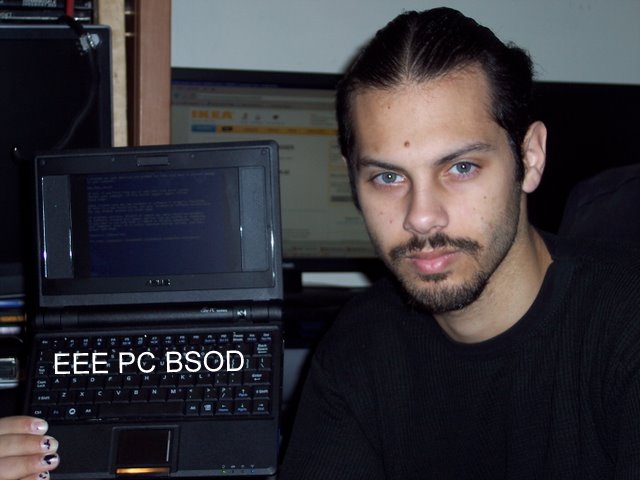
My buddy Mustang wanted an EEE PC, my other buddy was selling his for $150. Me acting as a middle man I was able to work the deal out, so I have had the honor to try out my hacky hands with this contraption. Its currently running a nice clean install of XP Pro Corporate. One thing that really pissed me off is that Asus sold this as a "Laptop for Hackers" but wont let you hack it. At first the violated the GPL License by not releasing proper drivers so you can install your on distribution of linux. They also made it so that replacing or upgrading the RAM or Solid State Hard Drive (SSHDD) voided the warranty. Thats really shitty! How can you tell me I will void my warrenty because I put more standard, off the shelf RAM in the unit? I can understand if I took the whole thing apart and took my soldering iron to the board, but to void it under the pretense that I replace standard hardware... fuck you. It seems they used "Linux Hacker" more as a marketing term than conforming to the Open Source sensibility of homebrew hackers and technophiles alike. This alone made me digress an EEE purchase.

Now, I like the size, but here are some minor gripes, besides the obvious maketing and licence blunders of the past:
  • The touchpad is too small to be remotely useful.
  • The 7" LCD isnt big enough to hold a typical GUI, even a slimmed down GUI.
  • The keyboard is very hard to use without using the 'Hunt and peck' method.
  • Battery... can we please have an official extended battery?
I like the SDHC, right now I have an 8GB card in there. I havent gone to installing linux to SD yet, or to a USB Drive, but with a little tech know-how its not hard at all. If you think GRUB is a type of bug, then you shouldnt even bother with an EEE. I have managed to BSOD the EEE within minutes of using it, but I just have that talent. Seeing how this isnt mine, I didnt really dig into it. Once mustang gets his paws on it, I will surely be by his side ready to sink my claws in.


For productivity, this thing is useless. The screen is too small to hold a standard formatted screen for text editing, and the keyboard is harder to use than a thorn covered butt plug. If you want it for generic mobile bullshit, its great! Add a beefed up wifi card and bluetooth stick, some nice linux software, and you could be a severe threat to anyone roaming the electronic frontier within the immediate area. Or just be a typical myspace/facebook whore... but beyond generic playing, which I must say, I do a lot, I wouldnt buy one at full price, and if I did get one, a 10" screen would be the best one to get if you can.

Once I get this off to mustang and we work on it a bit, I will post some more about the hellish hacks and misadventures of BSoD and friends.

Friday, October 17, 2008

Hacking the cork out of the WebTV 2 RM4100's ass

Yeah, I dont blog. Blow me!

I have an MSN WebTV 2 model RM4100. Not because MSN WebTV is a worth while service, or because I am compelled to e-mail and browse the interweb from my TV, I have an Xbox running linux for that, and that can at least run nmap. The WebTV 2 Model RM4100 runs on all standard intel hardware. Here is some info on it:
  • Intel Celeron 733MHz CPU
  • Intel 830M northbridge
  • Intel 82801DB (ICH4) southbridge
  • SMSC LPC47M192 Super I/O
  • ST M50FW080 8-Mbit (1Mbx8) Firmware Hub (FWH) flash memory
  • 128MB PC133 SDRAM on board
  • USB 2.0 ports
  • 2 Ultra-ATA/100/66/33 IDE channels (no connectors)
  • 64MB Compact Flash via IDE controller (upgradeable)
  • Integrated 10/100 Intel 82562ET LAN On Motherboard (LOM)
  • Integrated 2D and 3D graphics with AGP 4X interface
  • Conexant CX25873-13 High Performance Video Encoder
  • Composite and S-Video outputs (can deliver either NTSC or PAL video)
  • Sigmatel STAC9767 AC’97 2.3 20-Bit audio controller
  • Integrated Conexant CX81801-94 SmartV.XX V.92, V.34, V.32 data modem
  • IR receiver for remote / keyboard via MCU on LPT bus
  • Operates at 12V at 2.5A max draw
Everything about that should make your ePenis grow a little. There are more hardware mods to add in more USB, sound input, HDD, Optical, PS/2, and even PCI, however that will take a lot of serous soldering skill. HDD/Optical, USB, and Audio is a breeze, dont expect me to get PCI working anytime soon, but it is one of my main goals. Its all standard intel hardware, meaning any x86 compiled OS will run. Unfortunately that it not the case. First off the thing runs off a custom BootROM that doesnt even closely resemble a PC BIOS. It natively boots a custom build of Windows CE 5. A few brilliant fuckers have been working on a LinuxBIOS replacement, and to most extent have the unit working as a full featured PC that is very Linux capable. However, I am not a stinking linux fanboy, and if you even MENTION Ubuntu running on this thing ill slap you with a week old wad of bologna!

The main hurdle to overcome is the ST M50FW080 8-Mbit (1Mbx8) Firmware Hub (FWH) flash memory. Not only is is obsolete, the OEM disavows even making it. It had a VERY short life span, probably due to some critical flaws. FWH was created mainly for BIOS operations in which only small parts of the contents on Flash need to be changed, rather having to reflash the WHOLE thing over and over, just to flip a few bits around here and there. Its has a really nice style to it, much more efficient than having to deal with a whole Electrical Erase and Reflash just to put in 1k of modified code.

Here is the problem. The M50FW080 has gone the way of most geeks and dorks sex life, either non existent or so rare chances of it ever getting some kind of 3rd party support is slim to none. You might as well play LoZ for the CDi instead, that will be more available to you.

Now I have a Willem EEPROM Programmer. Thats like having a desperate fuck buddy on speed dial... that still doesnt like anal. It will not work with the M50FW080. So here is my theoretical solution:

  • WEB TV2 RM4100 BIOS slot now has a PLCC 32 Pin Socket.
  • I got my hands on some compatible SST 49LF008A FWH ICs.
  • Flash the PC BIOS to the 49LF, and see if its brings the RM4100 back to life
  • If the chips are not pin compatible, build a PCB Rebuild to make it so
In the long run I am looking to make a replacement BIOS for this fucker that can run a slightly modified PC BIOS, which I have but yet to configure. I also have some schematics here for a very inexpensive LPT based LPC FWH Programmer. That way if you dont want to spend the $50+ on a Willem to program this one chip just ONCE, or deal with a hot flash (pull a BIOS from a PC with compatible hardware while its on, while running a BIOS flashing utility) then just hit the parts bin to make this cheap ass programmer.

I just got my sample FWH 8Mbit ICs from SST in today. Im on a busy schedule so I dont know when I will get a chance to set up and perform the operation. I also have some PLCC 32 pin sockets on the way just in case i need to make the rebuild kit. This is looking pretty good so far. The only downside to any of this would be if the LPC Programmer wasnt compatible with the chips I have here. Then the lot of you are boned until someone comes by with a solution besides a hotflash.

Even if you are a total techno'fuckwit you should have enough scope by now to understand that out of the box using nothing more than a simple serial cable and some software know how, you can turn this thing into a moderately useful Linux machine that can run off 12V @ 2.5A. Either set top box, car'puter, media center, navigation center, internet appliance, or in my case, a future control node for a Wifi Death Ray.

Thursday, November 29, 2007

Why Brown City, MI Postal Service hates me.

A little over a week ago I sent my buddy Nate a stick of ram for a computer. I wasnt using it, so I figured share the wealth. Usually when i send something out I take some artistic and creative skill and puke all over the package. This was no different. I asked Nate if I could toss in some typical Foxx Brand Sticky Humor. He agreed to it, so I went along with my evil plan.

Day by day passed and there was no profane, indecent envelope in the mail. A week passes by, still no awkward stare from the postal worker. A few more days pass, no defiled looks from family members towards Nate. We both begin to wonder, ponder if you will... where the hell is this RAM!?

I get a call from Nate telling me he is about to run into the post office and raise hell. Apparently he wasnt expecting the opposite. The local postal inspector took him into a room and had interrogated him about the contents of the envelope. They took copies of his drivers licence, envelope, and explained how they will be making a formal complaint against me, putting me on "a list" and will have an ongoing background check with investigation. All of that hassle for some measly profanity on an envelope! Jebus H. Christ, these people must have nothing better to do. Putting the thing in the 'suspicious mail' aka 'mail bomb' room for a week thinking that its some kind of WMD... Man, what the fuck?!

So, you may be wondering what was on the letter that made them all paranoid?

"in case the saliva on the flap makes a poor DNA sample, I included a sperm sample as well. enjoy!"

"Go stick this ram up your ass and fucking like it!!"

"Spend less time reading, and more time delivering this - thank you XP"


Glad I never use my real name. HAH! Have fun chasing ghosts, jerkoffs.


Friday, November 23, 2007

The adventures of Foxx and the Holy Shit

Someone once said "Put a thousand monkeys behind typewriters, and they will eventually create all the works of Shakespeare." Thanks to the internet, this idea has been proven completely fucking wrong! All the emo bloggers out there posting every mood swing, anime freaks talking about how big their chi is, and miles of pointless crap you have to bog through. Well, here is some more crap. Here is a tall tale that turns out warm and bitter sweet in the end.

So there I was silently napping, something I don't do often, when all of a sudden I gently hear my lovely Hunnie Bunnie sit by my side and grumble "Ummm, the toilet is broken". Of course this isn't the ideal way to start waking up. After some half delusional inquiries I had come the the deducted conclusion that she had accidentally dropped her deodorant into an already processing toilet. Somehow the swirl of psychic mind-melding water flow had a reaction with her equilibrium causing her to loose balance, and in the process of saving herself she had dropped the poor, innocent deodorant. Either that or shes just a fucking clutz.

All efforts to retrieve the lost Deodorant of D'Stink was an utter failure. Many men were lost, many lives were ruined, and I spent $8 on a plunger that didn't work. The Coat-Hanger seamlessly gave his life for the cause. However I think he was confused, he may thought of the mission was a back alley abortion. No worries Coat-Hanger, you will meet your dead baby an bleach soon... very very soon. We must prevail! The water MUST flow yet again!

Unfortunately I didn't notice a ticking time bomb that slowly matured. Mother Nature, thou are a crewel bitch.

Almost three days later and the urge to poop was upon me. To cast all evil out of my bowels, and purge myself of all filth. The Catholics would be disappointed. Of course this was the crack of night and nothing in a 5 mile radius was awake and willing to let me BM in their Loo'. Of course the obvious 'Loaf on a lawn' idea did pop up, but being dead winter and quite frigid out, I would think the Sphincter Gods would not bless the occasion. They would perhaps smite me in ways only German scat films, or rabbits with the Screamin' Shits could only depict.

I pack my bags and go on a hike around the ol' ghost town. With my laptop Apollo on my back I start trolling for possible drop sites. The first location that came to mind was a local coffee shop I frequent. Since I'm there often, the people that manage the facility dont like me. Probably because I am an asshole, possible because my shit doesn't smell like curry powder and rotten dog meat. Either way, they were quite reluctant to let me download. BAH! Puny ingrate mortals, I shall seek my revenge... but not today, I need to poop, and poop I shall!

Backtracking to whence I came and soon crossing my point of origins, I continue on in the totally fucking opposite direction to the next means of defecation passing an all Asian, ultra bright blue neon and LED bar. I'm sorry my yellow skin stereotypes, not today. Moving on I soon come to the next dunn'. Closed. Dear lord thank you for this butt puckering cold. Walking back AGAIN I approach the blaring ultra bright blue bar. Being greeted by a very low brow bouncer wasn't something I expected, neither was being asked for ID. Those that know me fully understand why I do not carry ID. I can be who I want, when I want, this moment was no different. This is getting ridiculous. The things I have to deal with to take a crap.

Its about 2AM and I find myself standing in this Asian bar cram packed with the most typical stereotypes you could ever imagine. It was like I walked right into a really bad anime, mainly because nobody had perky tits, dandruff free hair, or a glistening sticky overcoat on their skin. Lets not mention the smell of shaved cats or really bad looking teeth. Why are Asian people attracted to really bright blue lights? Fuck, now I'm standing here trying to assess the situation when the bouncer asks "You needing something?". "Nope, just waiting for someone." "You think you have the right place?" Yeah, I'm sure, seeing how its the only place in 5 miles I can think of that has a shitter. "I think I'm in the right place..." At this point I badger the bouncer with as many annoying questions and pathetic small talk as possible. I figure if this guy finds me annoying enough, he will give me what I want just to get rid of me. If need be ill give him a free Cleveland Steamer. I make sure to walk in and out of the front door as many times as possible, that way the fucker cant stay warm. The constant cold chilly air rushes in directly at him. I pretend to be on my cell phone to avoid any transient and unnecessary conversation. Ten minutes into this whole ordeal I exclaim "Hey, mind if I bleed the lizard, the cold air is tickling my pecker". The bouncer promptly points me in the direction "'Round the corner, downstairs".

Heading down the stairs I get stares of an indignant nature. The hell with you, squinties, wait till' I leave, then lets see what you think. I enter the bathroom not with a quint sigh of relief, but with a sense of calm admiration. This is the eye of the storm, well, more like the sphincter, but to each their own. Lucky I am a man that follows the idea 'Plan for the worst, hope for the best'. With that idea in mind I had well prepared my journey by packing my own toilet paper, cause shit happens, and when it does, be prepared.

As I sit on my borrowed porcelain throne I ponder the passive contents in my bag of many tricks. Hearing the locals in the thickest of Asian anime accents, breathing through their lack of testosterone, all I understand is the phrase "yo nigga". Thinking quietly I find a strange sense of humility in their presence. I was tempted by the Electron Gods to summon the powers of Apollo and his beefed up 2.4Ghz WiFi antenna and entertain my brain meats while I sit quietly. I figure you shouldn't bite the hand that feeds you, or worse... hack the bowl you shit in. I finished performing my civil duty, gathered my things and left the bar. Of course I pretended to be on the phone yet again to avoid any stray stares and unwanted conversation from the locals.

This concludes my adventure. I leave you now with a tale to tell the grandchildren, god forbid you ever do breed.

Thursday, October 25, 2007

Fist full of Wii

So I have been doing a bunch of Wii Homebrew lately. Im fond of the Gamecube, but the bitchy disc compatibility makes loading small chunks of code a pain in the ass. The Wii has built in backwards compatibility with the Cube, however it has a full 4.5GB DVD Disc system, instead of the 1.4GB 8cm Disc. The disc compatibility of the Wii is admirable. It was able to load pretty much anything I could throw at it, granted the data layout was correct. (You cant just throw files on a disc and expect it to load). Wii discs have a type of XOR encryption that no PC or Mac can read or burn. There is also a specific way the consoles will authenticate the disc session and even let you load code.


One way to make the DVD drive to authenticate the disc session is by adding a 'ModChip' to the drive controller integrated circuit. This chip will talk to the drive controller and say "Hey, this is a valid disc, now load it before I puke in your boots". Weather or not the use of this modification is legal is moot. I dont care. Yes, you can use it to backup your own games. Yes, you can use it to make copies of rented games. Yes, you can use it to play games you have downloaded off the internet. BUT! It also lets you load your own code, which is why these mods are originally created, it just doesnt take too much time for the bootleggers to follow in the wake of progress.


Some of the bootleggers are legit companies, like CodeJunikes, creators of Code Breakers and Action replay, they have been ripping off a lot of the homebrew code for many of todays current consoles, and repacking a shit quality revision for profit. Lets see some examples! I wont get into too much detail, i want to get to my point soon...

Max Media Dock = M3 Movie Player

Datel Drive Doctor (Wii) = WiiFrii / Chiip / Viper GC Extreme

MaxDrive PS3 = Standard USB HDD

MaxDrive X360 = Standard USB HDD

Action Replay DS = Dipstar / NitroHax freeware cheat system

Games & Music DS = Moonshell & Many Slot-1 loader cards

Mii Manager = Google Mii Hacking, there are TONS of freeware Mii transfer tools!

SD Launcher = SDLoad with Action Replay Exploit


All of the things i mention on the left are code junkies products, on the right is the homebrew solution that was released well before code junkies sank their claws into it. This pisses me off... The one thing that puts my nards in a vice is the whole Action Replay story...


Back in the day and still usable today, there was a way to load code from an SD card on a GC (also works in GC mode on a Wii). This worked by loading a lengthy code via Action Replay which in turn boots a loader from a SD card adapted to fit in Memory Card Slot A. Making the adapter isnt very hard, if you cant, you can buy official GC SD Card Adapters (SD Gecko). So what code junkies did was make their OWN SD card adapter, then removed the 'Add Code" function from Action Replay, and create their OWN version of Action Replay that will only have that ONE code. Now thats all fine and dandy. Rebuilding their own product is fine, but none of this is viable without the work of the developers of SDLoad. Without that, there is no way to load the code off the SD card. This was stolen by Code Junkies ad repacked for their SD Launcher. Not only that, but they are packaging open-source hardware, the GC SD Card Adapter... This violates me in ways i cant explain. They are pretty much raping peoples work, then pimping out their broken spirits.


Ok, to my point. Ever wonder why the Wii doesnt have a DVD Player? It turns out they would have to had paid royalties to whomever owns the CSS Encryption Scheme, and Macromedia. It would have added an extra $75+ to the console. Not really worth it, a DVD player costs as much.

There was a homebrew DVD player for the gamecube, which was recently reworked to work with the full size DVD drive of the Wii. Nintendo recently rolled out a system update for the Wii that removed the El Torrito Disc format, which is commonly used by the homebrew scene. At first I thought Nintendo rolled this update out to kill DVD Playback support. They have been doing really well dealing with piracy and unauthorized stuff, but nobody wants to deal with the movie industry. Big-N is usually really nice to us homebrew people, but when a chunk of homebrew pops up that could cause potential legal problems for them, they have to do something. Now I was doing some experiments and came to the realization that this Wii v3.0 system update also kills the Action Replay, and probably SD Launcher... Could this be Nintendo's strike at homebrew... or at Code Junkies? We already have a way to boot homebrew code without using the El Torrito Disc format... But Code Junkies is FUCKED.


At first I was a little pissed and a wee bit dismayed that all my homebrew wouldnt work, but after some testing, all the stuff I made worked just fine, except some of the early stuff. It seems that Code Junkies and the Mod Chip makers are using the older disc formats of yesteryear. So this update kills all the Code Junkies GC products, and Mod Chip setup discs.


Yay for Nintendo for fisting Code Junkies in the ass using salted lube! The jerkoffs deserve worse...

BSoD at NYC 2600

Im not too fond of 'the scene' but i figured I might as well give the local 2600 group a shot. Some of the early BSoD fans and members can all attest how big of a script kiddie pain in the ass 2600 members have been towrds us. Rooting the old IRC server (buy simply asking the ignorant shell admin for the password) then DDoSing the BSoD site and IRC servers... all because they couldnt act maturely in BSoD. Not to mention the legal troubles I got into because of 2600 and other 'Scene' members that decided to narc on me. It didnt work assholes, i walked away from it scott free! unlike you, I dont do immature skiddie shit to proove anything. ANYWAYS!!

It was kosherPig (aka Jew) Mustang and I. We show up at the Citigroup building on lexington and 53td, where the meet is held every month. This is a place where there is a lot of banking and high profile buisness. So they have some pretty decent security. before we even get to the meet inside we ned to get all of out shit checked to make sure we wont blow anyone up. This is where the fun began, mainly because i decided to take my WiVi rifle for test in the city, plus im sure the 2600 people would have found it interesting. i also brought a bunch of other gizmos and gadgets, most of them home built, something that rasies 'flags'.

We walk in and get our shit checked out by an xray machine. KP goes through no problem, he just has his laptop in a diaper bag (from episode 1). Me on the other hand, I had:

Laptop
GPS Unit
USB Wifi with RPSMA Mod
6dB Collinear antenna that looked like a pipe bomb
two FRS radios, one was modded and looked like a detonator.
Radio scanner
3 foot long antenna (homebrew of course)
multiple smaller antennas, all of them being various coils of wire
Scanner Coax cable
three niMH rechargeable batteries
Solar Charging LiION battery in a GBA SP form factor.
WiVi Rifle.

When walking around NYC with thr WiVi rifle, people tend to stare... the also tend to freak out and try to get far away from you as possible because they have NO idea WTF it is, all they know is its home made and looks like a weapon. When we get to the front doors of course security looks at us like "Ummm... ok?".

So KP gets his bag scanned and walks through, no worries... Next it was my turn. They had to take a little longer to look at all the crap that was in my bag, and then the WiVi rifle. Mustang pointed out to me that they were so busy staring at all my shit coming off the xray convayor belt, they didnt even look at the monitor when his bag passed through. They didnt question him about his meds and hypodermic needles (hes a diabetic).

We get to the main spot a tad early which is a small food court. The first 2 floors of this place is like any standard mall. Wide open 1st and 2nd floor. People on the 2nd floor can look down and see people in the food court. I saw a large metal plant pot with some foliage and said "Ok, we are sitting here, its a tactical advantage. I sit down, put my back to the planter, and settle. The advantage to the plant pot and crap sticking out of it was so that no one can sneak up on me, or stay out of my field of vision. Yes, im that paranoid! Remember what i said in episode 1, know your surroundings.

Things started to escilate quickly. Security didnt know WTF to make of these three guys that just walked in with all this unknown gear. They dont see shit like this every day, even hosting 2600 meets every month. I knew the Wivi rifle would get some attention, but i didnt know it would be such a hit!

As soon as we start to settle i see security checking us out form every corner. KosherPig has been under my training for some time, he knows how to assess a situation, he knows a bit about urban combat and gurella warfare now... Within 5 minutes there were 4 guards covering the front two escilators, two on the second floor, one on each side of us, two security guards holding off the front two exits, and two cops with their gun unholdstered and ready for a firefight behind us. One random guard come up to us and asks "What is that thing? is it a gun!?". You could tell he was nervous as all HELL! That guy must have picked the short straw. You dont want to be the one to walk up to the unstable guy thats obviousaly wired with batteries and god knows what else and ask is hes going to blow himself up or not. We definately raised some heart rates that day.

I explain to the guards what the WiVi rifle is, how it works and such. They were very polite and seemed to be interested in its simple yet ingenius deign and function. After about 15 minutes they saw we were no threat and just went back to sleeping. Im glad my back was against that plant, if any of them would have come up behind me, i might have been triggered into a psychotic snap... which would have been a BAD THING.


The meeting went fairly well. There were some good folk there. It was general geek chatter and such. We handed out over 40 BSoD DVDs to people, met a fan of the show, and explained the WiVi Rifle at least as many times as we handed out a DVD. I was expecting to get some attention, not be the center of it all. I dont mind, really, but i wasnt expecting such a swarm of people to swoon over the thing. Its not like this kind of shit is all that new, ive been doing WiVi shit for at least 5 years now. But hey, they liked it, they asked questions, we told stories. It was all good. We werent allowed to take pictures inside the building, i think its because there is a lot of banking and shit done in there. Eh' im not gonna complain, at least they let us all in and hog the atrium.

We made the front page of NYC 2600. There are some photos here and here


I want to extend my thanks to the NYC 2600 group for taking some of the sour taste the past 10 years of l33t ass hax0r 2600 people have left. Good to see some REAL people in 'the scene'. But dont expect me to take my guard down anytime soon... Maybe we will make another appearance next month with some more toys. Time (and my bank account) shall tell.

Here are some memorable photos taken outside after the meetup:


DDoS your nipples.

For those of you that dont know, a DDoS, or Distributed Denial of Service attack is when a whole bunch of computers send itty-bitty bits of data to another computer all at once. All those little bits of data pile up on the attacked machine, and it will lag, or even be kicked offline.

With that little bit of information, let me tell you a short tale of my girlfriends tits.

The other day she was complaining her boobs hurt, so, me of my caring and nurturing nature, I decided to do what was right and massage them thoroughly. Now, im sure the lot of you are thinking im a typical tit obsessed male, well, thats besides the point.

Have you ever wondered why massage makes you relax? The human body has multiple types of nerves. Pain and Touch run along different nerve paths, but end up at the same location in your brain. The thing about this is that the nerves that sense touch are much faster than the nerves that sense pain. So if you stimulate the nerves for touch, you DDoS your brain so it cant receive the signals from the pain nerves. Being a person thats quite familiar with an overworked nervous system, I can tell you that this is not only true, but it works, and works well.

So next time you are achy or have a dull pain that wont go away, perhaps a muscle sprain, cramp, or bruise, I think you know what you need to do. Just do me a favor? Dont ask to massage or DDoS my nipples.

Saturday, October 6, 2007

WD-40 is NOT lube!

Thats right folks, WD-40 is not lube, its a rust inhibitor. Its used to break down metal oxidations. Simply put, its used to break up rust. Some people try and use it as lube, but it wont work.... woah.. not THAT kind of lube, you sick fuck!

You dont use a telephone book to drive nails into wood. You dont use a meat cleaver to chop down a tree. You dont use a brick to fix a rolex. Point being, the right tool for the right job. Lets get techincal here for a second... O.S. Fanboys. Fuck you all!

Im really sick of all these Apple commercials boasting how PCs suck and they only run Windows. Really, if you think that you can only run Windows on a PC, you... well, you are trolling blogs, I shouldnt expect that much from you. What im trying to say here when it comes to your operating system is "the right tool for the right job". Im not boasting how far more advanced OS-X is compared to Windows. Im not saying Linux is god over BSD. Im saying to all of you hardcore OS wores that claim their OS is better, get off your high horse and realize you shit stinks as well. your OS does nto rule over all because YOU own a copy.

I still run DOS. Why? Because I have shit that only runs in DOS. I could get a DOS emulator for Linux and use that, but geuss what... if I wanted it to run in Linux, I would get LINUX SOFTWARE! If i wanted my Windows XP install to look and feel like Mac OS-X, I would install OSX. Dont brag how whatever OS you chose to use is better than any other, cause' I bet I can find something you CANT do in that OS. Lets take a look-see iat some of the basics.

Linux - Cant run games all too well
BSD - Cant do Flash animations, as a desktop replacement it BLOWS
DOS - Cant do much at all anymore, really
Windows9x - Cant stay running, crashes easy, and has a general dictatorship over your PC useage.
BeOS - Was it ever really usefull?
Windows XP/NT - Cant access Communication ports for user apps (Serial ports wont work too well)
OSX - Cant do anything apple thought you wouldnt need to do, like right click and upgrade. Lacks all BASIC forms of com ports, like printer, serial, and PS/2. its also a bitch to find decent software/hardware. All backwards compatability from previous OS versions do not exist.
Vista - Cant do ANYTHING usefull yet, all usefull apps run on OSX or XP.

Im just picking random shit off the tip of the list when it comes to your most beloved OS' lacking list. If anyone wants to dispute, ill be willing to tear them a new asshole.

Fonera Feever

Intro
I have been working with the some buddies and my long time on again/off again fuck buddy Google.com to do unpleastent and inappropriate things with the Fonera router. Fon is a worldwide community of people that are willing to share their wifi access with other users (for free) and have non fonners pay for time on the network. This is a great idea! Honestly, no more pirating Wifi... This is a global effort to make wifi available for everyone. Well, it WAS a great idea. Fon was selling Linksys WRT54G routers which natively run linux and are treasured by many people as a fun wireless linux toy. Fon was selling them for a mere $5 plus shipping. Not bad concidering they still run for $60. People jumped on the deal and started getting Fon Branded WRT routers, then taking them off the FON network for their own gain. Thats a really cunty thing to do. Here is a company not asking for much, loosing money trying to spread wifi arround... Im not going to get into morals or politics on that matter.

Fon learned their lesson the hard way. They tried another take on the free/cheap router deal. Now they have added some security and lockdowns so people cant steal Fon routers. This hasnt stopped people from doing it. To be honest, most of the people involved in the Fon Hacking scene arent trying to steal Fon routers, they want to unlock them and make them more usefull, powerfull, and configurable. I have a Fon and a Linksys WRT router, both are on the Fon Network (The WRT is not a fon brand, I just like the idea of the Fon community, so I added the Fon Function to it).

Preface
Fon uses the DD-WRT Router Firmware that was designed to replace the stock firmware on many routers, including the Linksys WRT series. It adds many usefull functions and abilities that even the most expensive "gaming", VoIP, or QoS routers dont have. Whats gret about it is you can add and remove features from the router as you need them, taloring it to your individual needs. Its a great project and really fun to be a part of. Fon based their firmware from DD-WRT which maks a really good foundation. They added and removed some stuff, as to be expected. All in all the Fon firmware is ok, but its a little lacking, and its really REALLY locked down. The only way to change a setting it so log into your Fon.com account, apply the settings there, and reboot the router. I dont like that. What if you have no internet access? What if something went horribly wrong? There (in my opinion) isnt enough user control at the local router to be a viable router or AP. Plus the tiny lil' Fon can do SO much more, so why the hell not?

Natively the Fon has some limits to what it can do out of the box. Even after you install DD-WRT there are some minor issues that need to be worked out.

Secure Shell
To install DD-WRT you need to gain SSH (secure shell) access to the system. There are 3 main ways of doing this right now as of this writing, and depending on your available hardware and Fon Firmware will determine what method you use.

Method 1: Cross Site "Exploit"
DD-WRT has a web-interface which allows you to type in commands as if it were a command window. Fon removed access to this. Using an HTML file you create and run in your web browser, you can regain access to this console. Go here for information on how to make the files needed. Basically take the HTML code provided and save it as Fon1.html and Fon2.html. The first patch of code will access the iptables of the system and allow access to the SSH port (Port 22). The second will send the command to run the DropBear SSH Server.

Method 2: Serial Access
The Fonera Wiki has information on how to hook to the Fon serial port and gain Shell access. From there you can run the console commands as stated in the previous method to add the iptable rule allowing access to the SSH port. Then you can start the DropBear SSH Server manually.

Method 3: DNS Spoofing
Here are instructions with an easy way of enabling SSH using DNS Spoofing. Remember when I mentioned the Fon calls home to get any system settings that have changed? Well, Stefans Datenbruch figured out a way to spoof the Fon DNS server and fool the hardware into enabling the SSH server, he nicknamed this Kolofonium. This was a very SLICK method of doing it, and to be honest, the ONLY way to get SSH enabled on the 0.7.1 r2 firmwares that are being shipped out.

Installing DD-WRT
Once you have SSH access you need to follow the simplified process of installing DD-WRT at Two Slashes. Nick (a buddy of mine from Techcentric) has put together a semi-clear how to process on getting DD-WRT going. The proeces is somthing like this:

1. Enable SSH
2. Via SSH make the FlashROM (FIS) writeable
3. Copy needed Fon DD-WRT files via SSH and 'wget'
4. Write new kernel, hex, etc... reboot
5. Log into RebBoot bootlader, using TFTP and nstall new booloader configuration.

Thats the simplified process. Its a wee bit more complex, but thats the short story.

Hop on irc.bsodirc.org (linked with irc.techcentric.org ) in Fonners if you need any help.

Shit that dont' work
DHCP Doesnt work on LAN for some reason

GPIO has been disabled, no SD card option.... yet

JFF2S Filesystem is disabled, needed for SD card support

Anything that uses rfmon like WiViz, Kismet, and Site Survey doesnt work properly, or at all.

Dual antenna is retarted. There isnt enugh space. (Dual antenna should be spaced as far apart as possible!)

The heatsink is SHIT! The thing constantly overheats


Ending blabber
Im working on a bunch of Fon stuff, but I need my laptop, it should be here soon. I use my couchputer, but its not designed to sit there and punch in SSH Commands, so I get uncomfortable after 10 minutes. Im focusing on hardware hacks, since thats my strongpoint. Adding a dual antenna is easy as sin, but the lack of space in the fon makes it a not-so-good idea. You dont want Ant1 broadcasting directly into Ant2. That can cause damage to the RF Modules, You need to place the antennas at LEAST 1 wavelength apart. For wifi thats almost 5 inches. Honestly as a radio guy, I would use at least 4 wavelengths to get higher diversity. I want to focus on SD Card support. Once you get an SD card in there the amount of packages you can install is damn near limitless. I want Site Survey, mainly kismet to work, but that can wait for now. Keep an eye on BSoD and TechCentric for some Fon stuff, or if you dont want to wait for us to do segments, pop on irc and join Fonners

Dont be a fag and steal Fon routers... And i dont mean the good kind that dress nice and smell pleasent. Im talking about the icky hippie fags that dress in rags and smell like farts and vasolene...

Descisions, descisions

Many of my friends know I enjoy a wee bit of console homebrew. For those of you that dont know, Console Homebrew, often called Console Hacking, is making your home game console do more than just play games... or you make your own demos and games for the sheer fun of it all. A good example is Cool Paint for the GBA. Its a MS Paint application for the GBA, designed strictly for free by a coder just for the fun of it. Its a really cool "game". Out of the box the Xbox (not the X360) cant play Xvid movies, JPEG slideshows, and stream networked media... with a little bit of hacking and homebrew it can! Hell, you can even use your xbox to run Linux, an alternate OS which makes it do all the things you want to do with a PC. Ok, not ALL of it, but a lot of the fun stuff like e-mail, chat, movies, music, web browsing, etc...

Ok, the point of this... I recently bought a Nintendo DS and all the PSP Fanboy fags have been giving me a belly full of bullshit about how the PSP is so much better than the DS. Im not going to say DS is better than PSP or vice versa, as a console hacker and homevrew hobbiest i am more intersted in the EXTRA things a console can do. I look at the history of the console, how easy it is to fiddle with hardware wise, and what it takes to get your own code running on it. Let me shed some light on why I got the DS.

Out of the box the PSP does movies, games and music. Allthough it has an odd sreen resoloution, making it so you need to recode all your movies. Im not denying its a good system... I just dont like sony. They tend to lock down their systems really tight, and I dont know why. The main form of storage us the UMD drive, which right now is useless to homebrew. You cant use the main means of storage to hold your code or files. They use the propritary Sony Memory Stick Duo II for the memory card slot, which until not too long ago was under complete marketing control of Sony. The cards are still kinda' expensive, and still limiting. The main way to load homebrew code is to have a known bug (called an exploit) to fuck with the PSP and make it run the code you want. There is no way to just natively boot code. Its kinda' clumsy and unreliable if you ask me. Sony keeps releasing new firmware updates fixing the "bug" which allows you to run your own code. I can understand sony doesnt want peoples stealing games, but they could embrace the Homebrew scene which has a very anti-piracy moral. The one thing on the PSP thats supposed to be a common standard.. the USB (you know... the UNIVERSAL Serial Bus) has been locked down and made natively unaccessable. That means no USB keyboards or mice... which means no kind of user/text imput. C'Mon, did you have to make EVERY fucking port, pin, and bit on the PSP 100% locked down... Good move doushebags. The only soloution right now is a PSP modchip, and to be honest most people interested in it is for the bootleg games, not homebrew. Ive been asked by MANY people to install one so they can play backup games, and frankly... installing one is not for the faint of heart. Not to mention you need a custom PSP Coding enviroment (usually linux based) to create anything. If you just started to pick up coding, and dont know dick about linux, this will set you back in your learning process. All in all, not something I want to deal with.

There are some GREAT homebrew apps and addons PSP Homebrew brings to the tabe. Not gonna list em' all, but there are Emulators, Media Players, Networking Tools, WiFi Scanners, VoIP stuff, Web Browsers, and lots of great homebrew games. I could care less for the PSP Games... they kinda suck, and im not much of a gamer.

The DS on the other hand, now it might not be as powerfull as the PSP, the hardware is more specific for its task. Nintendo does a GOOD, nay, GREAT job designing their hardware. They take a logical approach on making the hardware as powerfull as needed, and easy to code for. As of right now, granted it took a little time to get this going, you can directly boot code off the NDS Game Slot, or the GBA Game slot using a NDS Boot Card. I have a DS Lite with the M3 Lite adapter. This lets me boot code from my GBA slot using the PassKey. This also lets me use the cart on my older GBA, which I like. One cart for two consoles.

Out of the box it lets me boot homebrew code thats stored on a standard SD card, play multiple music formats (inclusding MP3), play movies (no idea what limits yet), basic PDA functions, E-Book Reader, and Picture viewer. I know the PSP has all that, but the PSP lacks any kind of user input. The DS Touchscreen makes mouse or keyboard input semi-easy. Much easier than a D-Pad. I mocked the dual screen at first, but now im liking it! It really does give a lot of options for user input. I dont like games that use it though, especially shooter games. Yeah, the screen is kinda small for movies, bit if I wanted a movie player, id buy a portable DVD player, or use my PDA with the 4" VGA screen... not a 2" iPod or DS.

Price wise getting a DS or PSP plus the shit needed for homebrew is about the same, however the SD card I can slap in damn near anything in my house, and the M3 cart is backwards compatable with the GBA, which gives me next to no space restrictions.

Plus, I like the DS games a bit more... and Sony has a track record of having suicidal products. So far my friend Mustang has 2 DS' that survived 2 neglectfull kids and a wife that doesnt take care of anything except her sex toys. However i know people that have been through multiple PSPs by now. With my track record of going through suicidal PS2s' myself, and helping others fix theirs... Im going to stay away from sony products. Not to mention that Big N embraces the Hombrew Scene. In other countries like Germany and Netherlands they hold coding competitions where if you win, they gve you a job. Plus Big N usually releases more than enough info, and sometimes even their native development software so Homebrew peoples can start fiddling.